|
 |
| COBRA

software performs a 3D reconstruction of the
scanned volume by processing N projections acquired as X-Ray/optical 2D-images.
For
more information please download the COBRA User
Manual. |
 |
|
Click here
to start download
Click here
to see version-to-version difference
|
|

|
|
To
install

|
|
double
click on COBRA_Exxim_v_xxxx.exe to
start the setup ("xxxx" stands for
particular version). The process can be executed
with or without preliminary saving COBRA_Exxim_v_xxxx.exe
on the user's PC.
|
|
Important
!!! |
|
Every
time you re-install COBRA please remove the old
version from your computer. Please use
conventional instruments to do that (e.g.
Add/Remove Programs in Control Panel)
|
|
To
try COBRA using one of our data sets:

|
-
Download
our artificial phantom data ( 6.5
MB ), mouse data set ( 45 MB ), or/and
pig dataset (12 MB)
-
Double
click on the downloaded file(s) to
start the Setup process
-
Run
COBRA_Exxim.exe
-
Open
the file parameter_512_std.xxm (for
reconstruction into 512^3 cube) or the file
parameter_256_std.xxm (256^3 cube) and press
the Perform Reconstruction button
-
Make
sure that reconstruction process has been
started. You should see the message "Auto
detected scale factor ~= 1400" in the
Messages tab. The actual value depends on
object and chosen preprocessing procedure. A
reasonable range is 500-2000.
-
Check
the output slices using our viewer
COBRA_View_Exxim.exe (Note: the
reconstruction of the Sphere phantom contains
three small spheres, so some of the slices will
appear blank).
|
|
To
try SAMARA in a single-slice mode: |
 |
-
download
scanned dead pig
and un-zip it
-
load
parameter_512.xxm
-
reconstruct
the volume
-
load
parameter_512_samara.xxm
-
start
SAMARA Tuning Dialog
|
|
|
|
|
|
 |
|
Projection converter
|
|

|
|
To
convert your projections to the standard COBRA
format, please download
our Projection Converter. |
 |
|
Supported: |
-
Converting
from big endian and float data formats
-
Header
handling
-
Rotating,
resizing, cropping
|
 |
|
Test
Data Sets
|
 |
|
Artificial
phantom.
Pure math model imitating absorption by ideal line integral.
The phantom comprises three balls
(DC value = const) in vacuum (DC value = 0).
Contains 95 projections 512x512 each.
 |
|

|
|

|
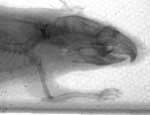
Real
biological object : scanned mouse.
The dataset contains the scan of a mouse.
The number of projections is 195, the
resolution is 512x256, pitch size = 0.162
mm. |
|
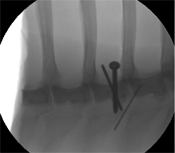
Real
biological object : scanned dead pig.
The dataset contains the scan of a dead pig (ribs
area with metal screws).
The number of projections is 100, the
resolution is 512x512, pitch size = 0.44
mm. |
 |
 |
|
COBRA: Differences between
trial and full versions |
|

|
-
The
Trial
version supports the full functionality of COBRA,
performing off-line reconstruction on one
PC.
-
For educational purposes the SDK documentation
is included into the trial version (API calls
in demo mode will be rejected).
-
The
trial
version does not support distributed (cluster)
mode.
-
SAMARA
is not available
-
Geo
Calibration Utility is not available
-
All
dumped slices contain the word
"Exxim"
|
|
COBRA:
Hardware Requirements |
 |
|
Please
see the specifications of the program on
this site or download the User Manual.
The
GPU option requires nVidia GeForce 8800GTX
graphics
card.
|
 |
|
|
 |